
If you would like to activate your Simerics license offline, please follow these steps:
1. Start Simerics. You will see the License Error dialog. Enter your Simerics license key and click Node Lock Activation.
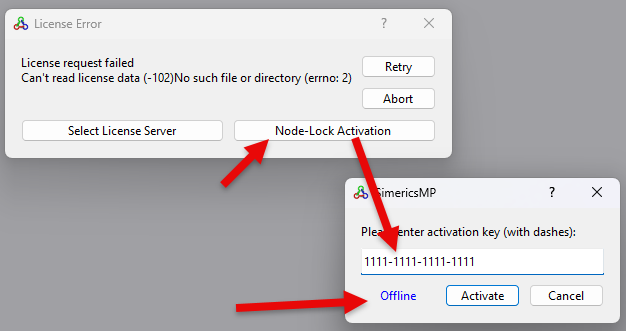
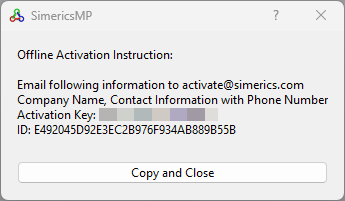
2. You will be shown a dialog with the offline activation information. Follow the instructions to send the requested information to activate@simerics.com. Be sure to include your license key (Activation Key) and the ID that are shown.
3. You will receive an email with a license.txt file attached. Place this file in either C:\ProgramData\Simerics or C:\Program Files\Simerics.